
Approval policy
Who, what, under which condition.
Steps are defined by conditions such as amount, priority and unit. Try before saving.
Approval steps are built from conditions such as amount and priority, and tried before saving.
Section 06 · Trust and audit
Who approves what, who changed what. All of it runs on rules your organization writes and stays on record.

A rule's journey
Illustrative model
Approval
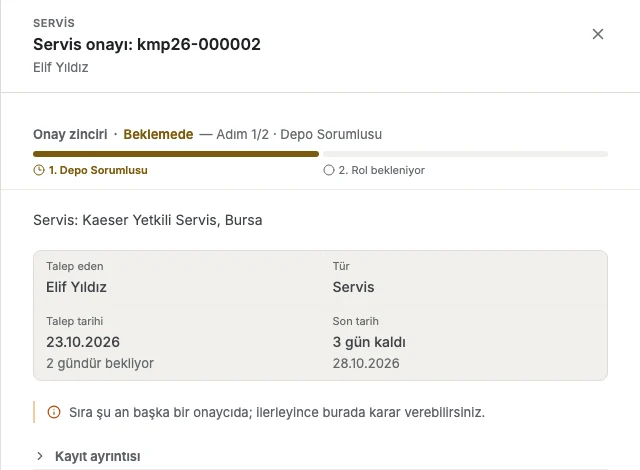
Assignments, orders and role assignments are collected in one inbox. The action has no effect until a decision is made. Approvers can decide from the field too.
ExampleA laptop custody goes to approval. The approver decides from their phone.
Deadline
A reminder goes out midway through the decision period. When time runs out, the step passes to a deputy or a higher authority. No approval is ever deemed “approved” by itself.
ExampleIf an approval stays pending, a reminder goes out halfway through the deadline; when it expires, the step passes to a deputy or a higher authority. No approval is ever treated as given by itself.
Separation of duties
The same person cannot both start and approve a job, sign two steps or approve their own count. A person can hold several roles.
ExampleThe person who started a work order cannot approve the same work order. The approval falls to another authorized person.
Audit trail
Each record carries the digest of the one before; the chain is verified every morning. If someone changes a record afterwards, the chain breaks at that point.
ExampleSomeone tries to change last month's approval record. The morning check shows the chain broke at exactly that point.
Data separation
Organizations' data is separated at database level. A VAYOM admin account cannot enter business screens; support access is time-limited, justified and logged.
ExampleTwo organizations may use the same system but cannot see each other's data. VAYOM's own support access is also justified, time-limited and recorded.
History and access
User access is limited by each user's duties and organizational scope. Important actions are written to the audit log and the integrity of records is checked.
Chain integrity verified
Highlights
Approval policy
Steps are defined by conditions such as amount, priority and unit. Try before saving.
Approval steps are built from conditions such as amount and priority, and tried before saving.
Business rules
Built without code. Why a rule did not run is read from its history.
You do not need to be a programmer to write a rule. Why a rule did not work stays in its history.
Process map
You do not draw the map. It derives from the status flow the system applies; live counts follow your scope.
The drawn map cannot drift from the real flow, because it is produced from the system's own state flow.
Access review
Roles are frozen at the start of a round. Managers mark “appropriate” or “change needed”.
In an access review the supervisor decides by looking at their team's permissions as of that day.
Data protection
Time-limited deletion, anonymization on request and a personal data passport.
Notifications and webhook history past their retention period are deleted; a person is anonymized on request.
Full scope
Tap an item to see what it does, its details and any limits. Items with a dashed border currently work under specific conditions.
Who it's for
“You write the rules.”
Define approval policies, business rules and organization-specific roles. A role you define cannot exceed your own permissions.
Frequently asked questions
Yes. The inventory list can be exported in every tier. In Enterprise and above, the organization administrator also downloads all data as a single ZIP and exports the inventory as a generic asset CSV or as XML using SAP and Maximo field names; a disposal record is produced after handover.
No. Organizations' data is separated at database level; even with a query error, another organization's record is not returned. A VAYOM admin account cannot enter the organization's business screens.
Yes. Every action and asset movement carries the digest of the previous record; the chain is verified every morning. If someone changes a record afterwards, the chain breaks at that point and the change is noticed.
No. The same person cannot start and approve a job, sign two steps of a multi-step approval or approve their own count. A person can hold several roles; what is forbidden is using two roles on the same record.
Anonymization of a person on request (art. 7) and a personal data passport (art. 11). Retention periods apply automatically each month to notifications, webhook history and deleted user accounts, with a minimum of 30 days. Work orders, assets and documents are not deleted automatically. A legal hold, set by VAYOM at your organization's request, stops disposal.
Support happens through a justified 60-minute session, and an email goes to your organization's technical contact as the session opens, before diagnostics are read. The diagnostic package reads no work orders, assets, documents or person records; it holds only error texts, queue counts, integration status and the headers of the latest audit lines.

Let's work out together the scope for transferring your existing data and the connections you need. Tell us in the call which process you want to see; we'll plan the walkthrough around that workflow.
Request a discovery call